A team can run short of mail storage even when its overall plan sounds generous: capacity is assigned per mailbox, and the people using those mailboxes may have very different needs. The useful question is not simply “How much storage do we have?” It is “Which mailbox is likely to need space, and is its allowance appropriate?” A careful comparison can help you distinguish a genuine capacity gap from an allocation mismatch, before changing a plan or moving messages.
The useful bits
- Compare each mailbox separately; team-wide capacity does not mean every mailbox can use it.
- Estimate demand from mail volume, attachment habits, and how long messages need to stay accessible.
- Confirm the allowance and any plan change in the account or checkout before relying on it.
Start with the mailbox, not the team total
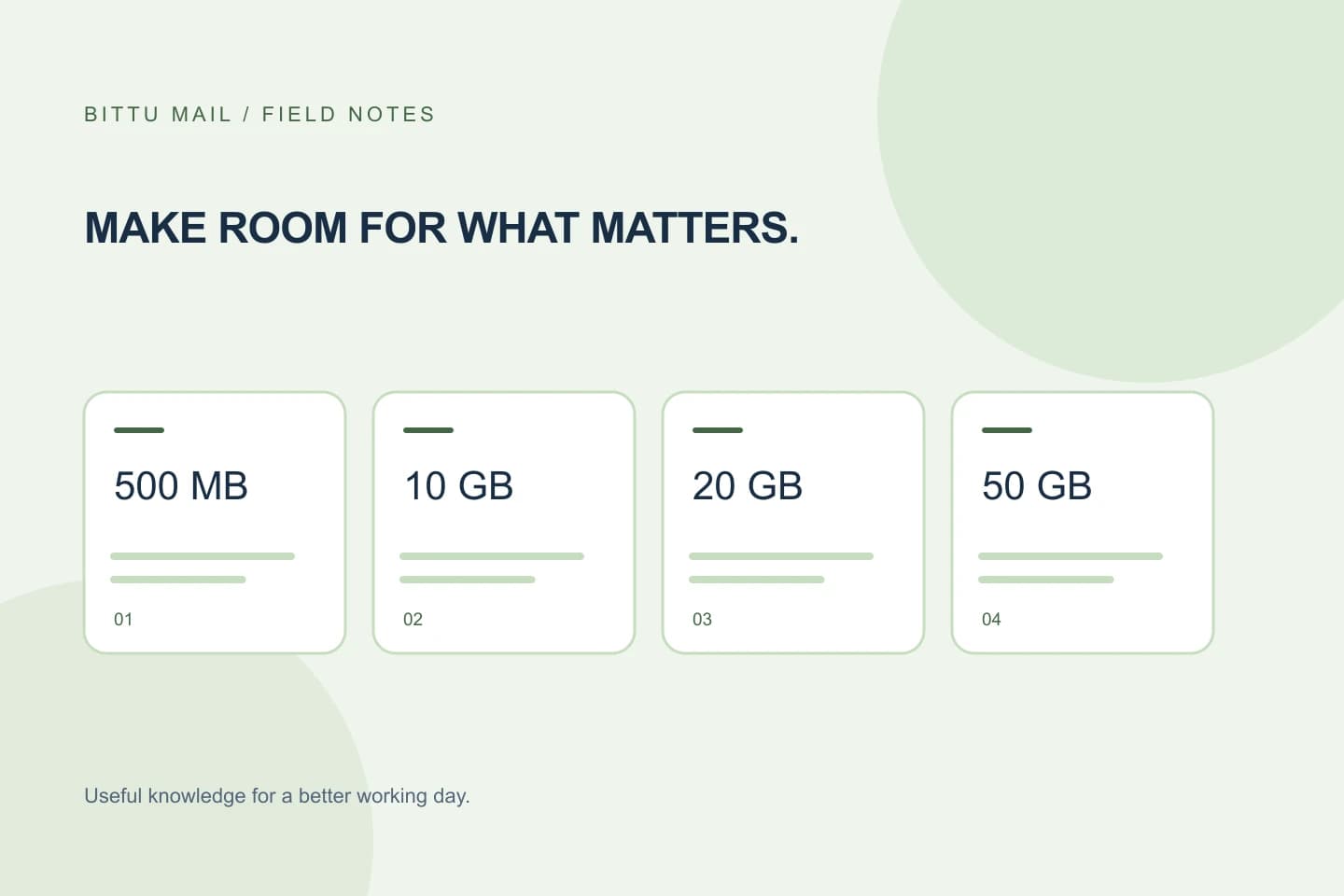
BITTU Mail’s business storage allowances are 10 GB per mailbox on Starter, 20 GB on Standard, and 50 GB on Premium. Free personal @bittumail.tech mailboxes start with 500 MB. These figures describe the allowance for an individual mailbox, not a shared pool that one busy mailbox can draw from freely.
Make a list of the mailboxes you are assessing and write down each mailbox’s current plan and allowance, if known. Include role-based addresses such as accounts or enquiries only if each is an actual mailbox. An alias is not automatically a separate mailbox or login, so do not count it as independent storage without confirming how it is provisioned.
Estimate demand using ordinary work patterns
For each mailbox, consider the kind of mail it receives, how often attachments arrive, and how long messages need to remain readily available. A shared enquiries address may receive many short messages; a mailbox used for invoices or project files may receive fewer messages but larger attachments that people need to refer to later. These are different storage patterns, even if both addresses are used every day.
Base the estimate on a representative period of recent work rather than an unusually busy day. Note whether large attachments are common, whether staff keep old correspondence in the mailbox, and whether the mailbox is used by one person or several. This is a planning estimate, not a promise that future mail volume will stay the same.
Separate a capacity gap from an allocation mismatch
A likely capacity gap exists when a mailbox has a sustained, work-related need for more room than its current allowance provides, and reducing avoidable stored material would not solve the problem. For example, a mailbox that routinely handles large project attachments and must retain those conversations may reasonably need more capacity.
An allocation mismatch is more likely when one mailbox has a much heavier storage burden than others, while some assigned mailboxes have little expected use. Before considering a higher plan, ask whether the busy mailbox has the right purpose and whether other mailboxes genuinely need their current assignments. Do not assume capacity can be transferred between mailboxes: check the available plan and account options, and confirm the resulting allowance for each mailbox.
A practical comparison
Suppose a small business has a project mailbox and a general contact mailbox. The project address regularly receives large attachments that staff need to revisit. The contact address receives frequent brief messages, but most do not need to remain readily accessible for as long. If both have the same allowance, the project mailbox may be the one to review first—even if the contact address receives more individual messages.
The comparison does not establish that either mailbox is full. It helps identify where to inspect actual use and whether a different allocation would better match the work. If an account or workspace view displays mailbox usage, compare it with the allowance shown for that mailbox. If no usage figure is available, use a practical inventory of the mail and attachment patterns rather than guessing a precise storage total.
Mailbox | Typical demand | Allowance to verify | Next question
[projects@example.com] | Large attachments kept for reference | [current per-mailbox allowance] | Is more capacity needed for ongoing work?
[contact@example.com] | Many brief messages | [current per-mailbox allowance] | Can retention or allocation be reconsidered?
Check the decision before making a change
Use this short checklist: identify each mailbox rather than counting aliases as separate accounts; record its current allowance; describe its usual mail and attachment pattern; note what messages staff need to retain; and flag any mailbox whose expected demand appears out of line with its allowance. Then decide whether the next step is to review stored material, reconsider which mailbox should carry the work, or explore a larger per-mailbox allowance.
Workspace domain and mailbox administration is for authorised workspace or domain admins, and available controls depend on role, plan, and provisioning state. Admin permissions and quotas are enforced server-side. Sign-in and account actions go through mail.bittuicloud.com. Check live plan details, availability, renewal terms, and any applicable checkout total at /pricing or authenticated checkout before committing; do not rely on an old estimate.
Confirm the result against the mailbox itself
After an allocation or plan change, verify the mailbox’s assigned allowance in the authenticated account or workspace information available to your role, and compare it with the usage information if shown. If the change is not reflected, or the allowance is unclear, do not assume it succeeded; check the account’s current plan and provisioning state before making another change.
Finally, revisit the comparison after the mailbox has handled its normal work. A higher allowance addresses capacity, but it does not decide what correspondence should be retained or whether work belongs in that mailbox. Keep those decisions tied to the team’s actual needs, and repeat the review when mailbox responsibilities change.
About this guide
Prepared with AI assistance for the BITTU Mail editorial library. Check important details against your original messages and current account settings. Product access depends on your role, plan and provisioning state. Provider interfaces and requirements can change.
View current plans · Security information · Suggest a correction