Choosing a mailbox limit is easier when you estimate what you actually keep, rather than guessing from how many emails you send. The main source of uncertainty is often attachments: a few large files can take more room than many short messages. Start with the mail you expect to retain, estimate its size, then leave room for growth and for estimates that turn out low. Compare that allowance with the storage listed per mailbox for each BITTU Mail plan. The result is a planning estimate, not a guarantee of how much space your account will use.
The useful bits
- Estimate retained messages and attachments, not just incoming mail.
- Use a range and keep a buffer for large files and uncertain habits.
- Compare each mailbox separately with the plan’s stated storage limit.
Define what you plan to keep
First decide what belongs in the estimate: existing mail you will retain, new messages, sent mail, and attachments. If you routinely delete or move mail out of the mailbox, your estimate can reflect that habit, but do not assume that deleting a message also removes copies saved elsewhere. If you expect to keep years of correspondence, include those years rather than estimating only a typical month.
Count mailboxes, not just people. A mailbox alias is not automatically an independent mailbox or login, so do not treat an alias as extra storage. For a business, estimate each mailbox’s needs separately before comparing them with the per-mailbox limit.
Build a simple size estimate
Use a period that resembles your normal work, such as a typical month. Estimate how many messages you keep during that period and their average size, including attachments. Multiply those figures to get an approximate monthly amount, then multiply by the number of months of mail you expect to retain. Add the storage already occupied by mail you plan to keep.
If you do not know average message size, make two estimates: one for ordinary messages and another that includes occasional larger attachments. Do not assume every message is a small text email. Files sent repeatedly, photos, and long document exchanges can change the total substantially.
Hypothetical mailbox estimate:
Existing mail to retain: 1.5 GB
New retained mail: about 0.4 GB per month
Retention period for new mail: 12 months
Estimated total: 1.5 GB + (0.4 GB × 12) = 6.3 GB
This is a planning example, not a BITTU Mail usage measurement.
Treat the result as a range
A single average can hide uncertainty. Recalculate using a lower and a higher monthly estimate, especially if attachment sizes vary. For example, if some months include project files or many photos, use a higher figure for those months instead of assuming every month is typical.
Then add a practical buffer. The buffer is your own allowance for growth, unusually busy periods, and estimation error; it is not a fixed BITTU Mail requirement. If your high estimate is already close to a plan limit, choosing a smaller plan leaves little room for the estimate to be wrong.
Compare storage per mailbox
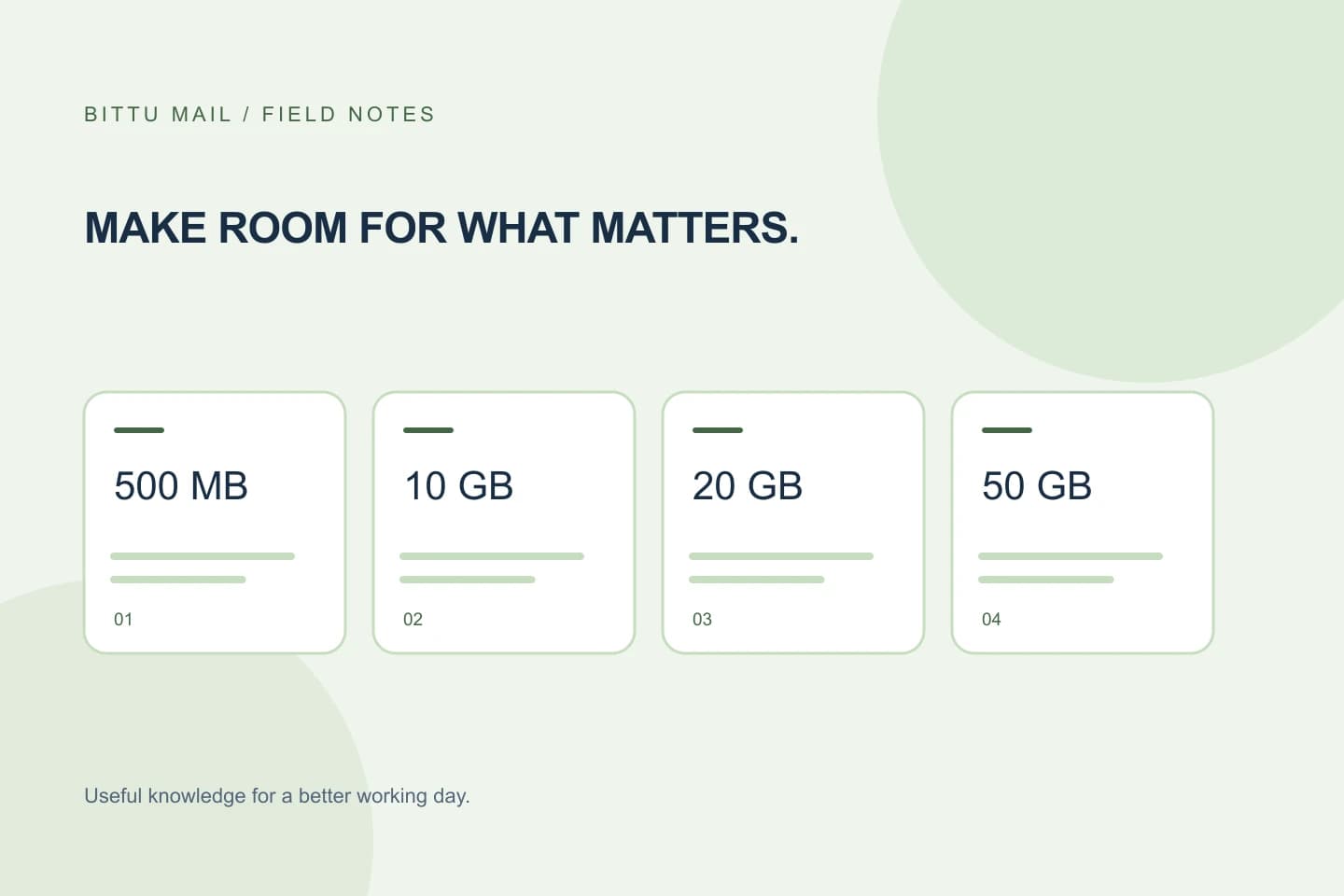
BITTU Mail free personal @bittumail.tech mailboxes start with 500 MB. Business Starter, Standard, and Premium list 10 GB, 20 GB, and 50 GB per mailbox, respectively. Compare your buffered estimate for each mailbox with those limits. For instance, a 6.3 GB estimate plus your chosen buffer would be a poor fit if it exceeds the limit you are considering.
Do not add several employees’ needs together and compare that sum with one mailbox’s limit. If one mailbox is expected to hold 6 GB and another 12 GB, compare each estimate with the storage available per mailbox under the plan. Plan features, provisioning, or role controls may vary; check the plan details that apply to your account.
Check the details before deciding
Review the current plan information at /pricing or in authenticated checkout before choosing. Confirm the storage shown for the plan and mailbox arrangement you intend to use. Live prices, upfront term total, taxes, availability, and renewal terms must also be checked there; this estimate does not determine those details.
A 30-day Starter trial is limited to one trial claim per eligible domain, and availability and eligibility are checked by the server. Do not base a long-term storage decision on an assumption that a trial is available. A one-time checkout does not by itself imply an automatic charge or mandate.
Confirm the estimate is useful
Before committing, write down the assumptions behind your calculation: retained years, typical monthly mail, treatment of large attachments, and the buffer you chose. Revisit the estimate if your work changes or you begin keeping more files in email. After setup, compare your assumptions with the storage information actually available to your account, if provided, and adjust your plan decision if the real usage is materially different. Do not assume a particular usage display or control is available for every account.
- Estimate existing mail plus future mail you intend to retain.
- Include attachments and calculate both a typical and a high-use case.
- Add your own growth buffer, then compare each mailbox with its plan limit.
- Confirm current plan details and checkout terms before purchase.
About this guide
Prepared with AI assistance for the BITTU Mail editorial library. Check important details against your original messages and current account settings. Product access depends on your role, plan and provisioning state. Provider interfaces and requirements can change.
View current plans · Security information · Suggest a correction